How to Contact NSFAS: Phone Numbers, Email, and Support Resources (2026 Guide)
Do you need urgent help from NSFAS about your funding, payment delay, application, or missing documents? In 2026, thousands of students across South Africa rely on the National Student Financial Aid Scheme (NSFAS) to pay for their education — and contacting NSFAS efficiently can be the difference between getting your money on time or missing your allowance.
This comprehensive guide will walk you through all the official ways to contact NSFAS, including phone support, WhatsApp, email, USSD, and even in-person help — plus tips on what to say, when to follow up, and how to stay safe from scams.
Why You Might Need to Contact NSFAS
Many students will need to reach out to NSFAS at some point. Here are common reasons why:
- Your application is stuck on “Validation” or “Awaiting Academic Results”
- You didn’t receive your monthly allowance or transport payment
- Your banking details need updating or were rejected
- You’ve forgotten your myNSFAS login credentials
- You want to appeal a rejected application
- Your status shows “Provisionally Funded” but funds are missing
In these cases, contacting NSFAS early ensures your issue gets resolved before it impacts your studies or daily life.
NSFAS Contact Number (Toll-Free Call Centre)
NSFAS offers a toll-free contact number for all general student queries:
- Number: 0800 067 327
- Availability: Monday to Friday, 08:30 a.m. – 05:00 p.m. (excluding public holidays)
- Languages Supported: English, isiXhosa, isiZulu, Afrikaans
Use this number to
- Check NSFAS application status
- Confirm payments and allowance schedules
- Reset your portal access
- Report technical issues
Pro Tip: Call early in the day or during mid-week (Tuesday–Thursday) to avoid long wait times.
NSFAS WhatsApp Support (Chat-Based Help)
For quick assistance, NSFAS runs a dedicated WhatsApp line:
- NSFAS WhatsApp Number: +27 78 519 8006
How to Use It
- Save the number to your phone
- Send “Hi” or your question
- Follow the automated prompts
- Provide your ID number, full name, and reference number when requested
WhatsApp is best for
- Application and funding status inquiries
- Password resets and portal access issues
- Upload instructions and deadlines
This is one of the fastest ways to get responses from NSFAS if you don’t want to wait on a call.
USSD / SMS Code for NSFAS Status and Balance
If you don’t have internet access, NSFAS allows you to check your application or allowance using your cellphone:
- Dial: *120*67327#
USSD Features
- Check NSFAS application status
- View payment and allowance balance
- Get general notifications from NSFAS
Requirements
- A working South African cellphone number (registered in your name)
- Your South African ID number
This method is free or low-cost and ideal for students in remote or rural areas.
NSFAS Website and myNSFAS Portal
The main digital channel for official communication and document upload is the NSFAS website:
- Official site: https://www.nsfas.org.za
- myNSFAS Portal: Login to upload documents, track your application, or contact support
How to Contact NSFAS via Portal
- Go to the site and click on myNSFAS
- Log in with your ID and password
- Navigate to the “Contact Us” tab or support section
- Submit your query and attach documents if needed
Always double-check the URL to avoid fake or phishing websites.
For formal documentation, appeals, or unresolved cases, you can contact NSFAS by email:
- Primary email: info@nsfas.org.za
Email Tips
- Use a clear subject line: e.g., NSFAS Payment Delay – ID 9901010000081
- Include your ID number, student number, full name, and a short summary of the issue
- Attach any relevant documents (e.g. proof of registration, payment slip, appeal form)
Expect replies within 3–7 working days, depending on volume.
Visit NSFAS Head Office (In-Person Help)
You can visit NSFAS offices if you prefer face-to-face assistance:
- Address: The Halyard, 4 Christiaan Barnard Street, Cape Town, 8001
- Hours: Monday to Friday, 08:30 a.m. to 05:00 p.m.
- Phone: Same as call centre – 0800 067 327
Bring your ID, student card, and application reference number. Always try calling or emailing first — in-person visits are usually a last resort.
Get Help via NYDA Offices (Walk-In Support)
NSFAS also works with National Youth Development Agency (NYDA) branches across South Africa:
- Visit: https://www.nyda.gov.za
- Find the nearest office in your province
- Walk in and request help with:
- NSFAS applications or appeals
- Uploading documents
- Resetting your account
NYDA agents are trained to assist with NSFAS cases and can speed up problem resolution.
When to Contact NSFAS (And When Not To)
Contact NSFAS if
- Your status is stuck on “Application in Progress” for 2+ weeks
- You missed an allowance payment or status shows “Approved” with no funds
- You’re unable to access your myNSFAS portal
- You want to appeal a rejected application
- You need to update personal or banking details
Avoid contacting NSFAS if
- It’s before your status is due to update (usually 5–7 days after registration)
- You haven’t submitted supporting documents — upload them first
- You are asking about another student’s information (data privacy laws apply)
Contact Checklist for Fast Response
Before contacting NSFAS, prepare the following
Item | Why It’s Needed |
|---|---|
South African ID Number | To verify your identity |
Student Number | Connects your query to your academic record |
NSFAS Reference Number | Speeds up application lookup |
Contact Email & Phone | For replies and follow-up |
Clear Message | Explains your issue in 2–3 sentences |
Attachments (if needed) | Screenshots, forms, proof of registration, etc. |
Stay Safe – Avoid NSFAS Scams!
Sadly, many scammers impersonate NSFAS online. Here’s how to protect yourself:
- NSFAS never asks for money in return for funding
- They only use @nsfas.org.za email addresses
- Do not share your login credentials, password, or banking info
- Avoid fake Facebook pages or WhatsApp groups offering NSFAS “assistance”
- Report any suspicious emails or messages to legal@nsfas.org.za
Sample WhatsApp Message for NSFAS Help
Hi NSFAS, my name is Sipho Dlamini. My ID number is 9901010000081 and my reference number is APP123456789. My application status has been stuck on “Awaiting Academic Results” for 2 weeks. Can you assist?
Keep it short and polite
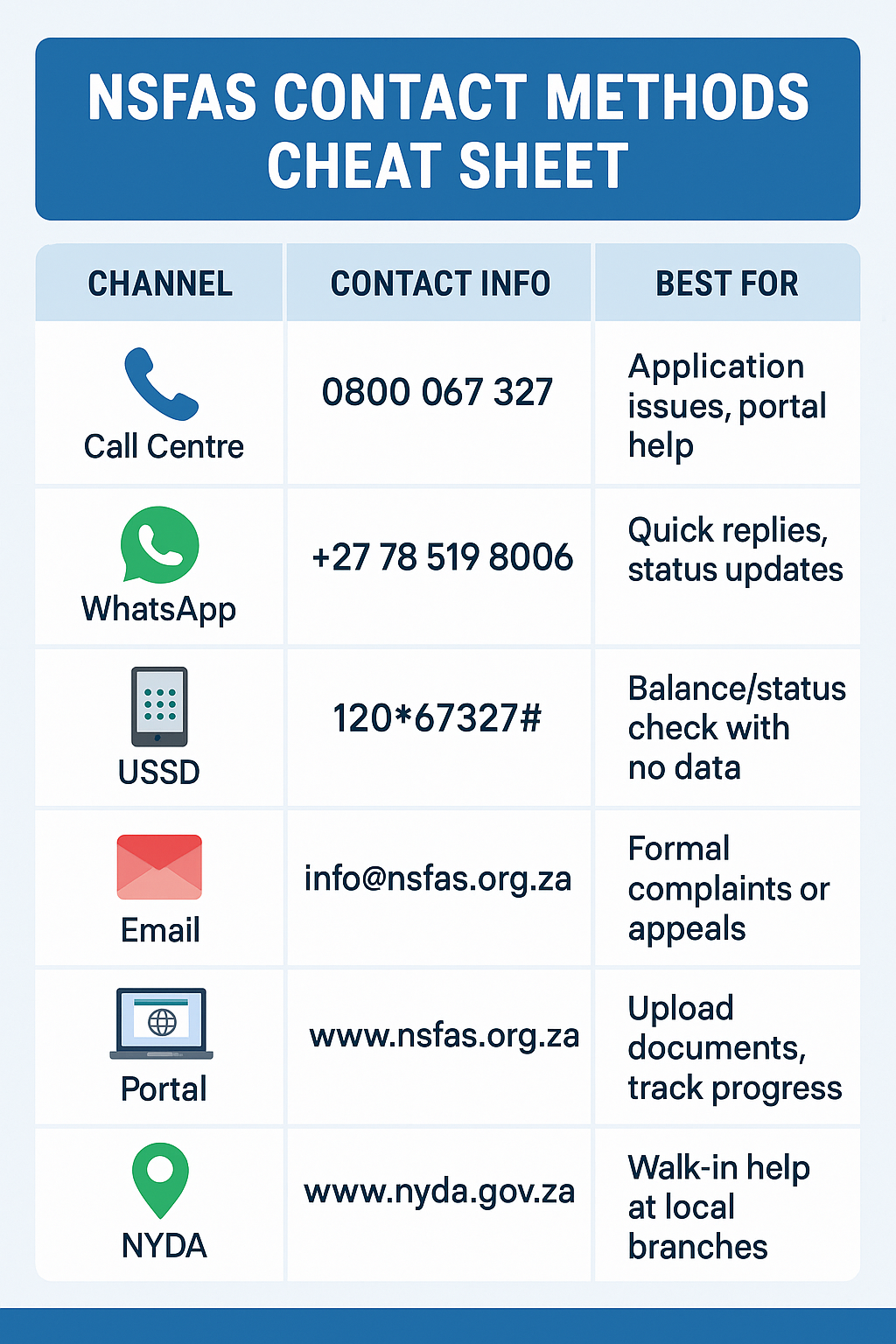
Summary Table: NSFAS Contact Methods
Method | Contact Details | Best For |
|---|---|---|
Call Centre | 0800 067 327 | General support, payments, portal help |
+27 78 519 8006 | Quick status checks and password resets | |
USSD | 12067327# | No-data status check or balance |
Formal queries or appeal submissions | ||
Portal | Upload documents, contact support | |
NYDA | In-person help in your province |
Best Time to Call NSFAS (call volume curve infographic)
A visual line chart showing:
- 8:30–9:30 AM (✅ best time)
- 12:00–2:00 PM (❌ worst)
- Tues–Thurs (✅ recommended)
WhatsApp Message Template Visual
Simulated message:
Hi NSFAS, my name is Zanele Nkosi (ID: 0101011234087, Ref: APP987654321). My status is stuck on “Provisionally Funded” and I haven’t received payment. Please advise.
Checklist: Info to Include When Contacting NSFAS
Include icons for:
- ID number
- Reference number
- Issue summary
- Attachments/screenshots
- Contact email/phone
Final Thoughts: Take Control of Your Funding
Whether you’re checking your status, fixing a rejected application, or appealing a funding delay — knowing how to contact NSFAS the right way can save you time and stress.
Always use the official contact numbers and websites
Keep your reference number and ID handy
Be polite, clear, and prepared when asking for help
Stay informed, stay proactive — and don’t let confusion stop you from getting the funding you deserve!